Why protecting Windows Server data matters
Active Directory, SQL Server, and other core Windows services are the kind of infrastructure a business only thinks about when it stops working. These systems run continuously, hold critical state, and are difficult to back up safely with generic tools because a copy taken mid-write is a copy that can’t be trusted.
Windows’ built-in shadow copies solve the “system stays running” problem, but they don’t solve the “backup stays safe” problem:
- Backups live next to what they protect: shadow copies typically sit on the same server and the same storage as the live data, so whatever takes down the server can take down the backup with it.
- Short, self-managed retention: shadow copies are pruned automatically on their own schedule, which means the copy you need may already be gone by the time you need it.
- No protection from a compromised administrator: anyone with the access needed to manage the server also has the access needed to delete or disable its shadow copies.
- No independent recovery point: without a backup stored outside the server, a corrupted, encrypted, or misconfigured system has nothing to fall back to.
For infrastructure this central to daily operations, a server-side snapshot mechanism isn’t enough on its own as it needs an independent, off-server copy behind it.
What happens when Windows access is compromised
Access to a Windows server is controlled by administrative accounts and the credentials or keys that unlock them. Because those accounts are shared across IT teams, embedded in automation, and reused across systems, they’re also a frequent target.
If administrative access is lost, misused, or compromised:
- Directory-wide impact: Active Directory failures don’t stay contained to one machine as every system that relies on it for authentication is affected at once.
- Ransomware and encryption: attackers with administrative access can encrypt or delete data across the server, including any locally stored shadow copies.
- Silent, cascading damage: because so many services depend on directory and database servers for their own operation, an outage or data loss event here tends to spread rather than stay isolated.
- No way back: without a backup stored independently of the server itself, there’s no way to undo the damage, only to rebuild from scratch.
Plakar mitigates this by capturing shadow-copy snapshots over an encrypted connection and storing them in a Kloset outside the server they came from. If the server or its administrator credentials are ever compromised, the backup history remains intact and recoverable.
How Plakar secures your Windows Server backups
Plakar integrates with Windows Server through Volume Shadow Copy Service to move data safely in both directions:
- Source Connector: capture a consistent, point-in-time snapshot of a live Windows drive, including systems actively managed by Active Directory or SQL Server. Plakar encrypts and deduplicates the snapshot before storing it in a Kloset Store, entirely separate from the server it came from.
- Destination Connector: restore a verified snapshot back to the original server, a freshly provisioned replacement, or a different environment entirely, giving you a clear recovery path even if the original machine is a total loss.
This makes it possible to:
- Back up business-critical Windows infrastructure without ever taking it offline
- Keep backup credentials and access separate from the day-to-day administrative accounts that manage the server
- Recover a directory, database, or file server to a known-good state, on the same hardware or new hardware
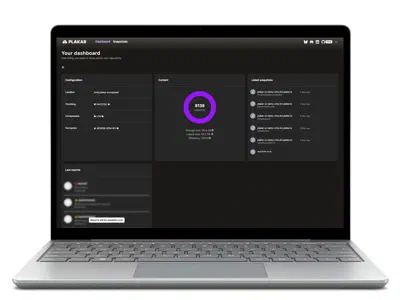
Plakar also lets you inspect a backup directly, so you can browse or verify its contents through the CLI or UI before committing to a full restore.
Instead of depending on shadow copies that live and die alongside the server they protect, Plakar gives you an independent, encrypted, and verifiable backup history for the Windows infrastructure your business relies on most.