
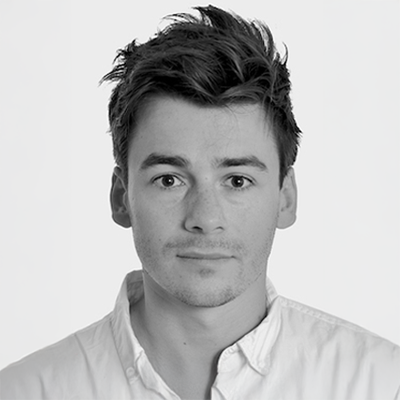

Plakar offers a nice UI to see the content of a Kloset store.
You can run it locally with just one command, and a live demo is available at https://demo.plakar.io.
plakar at <store> ui
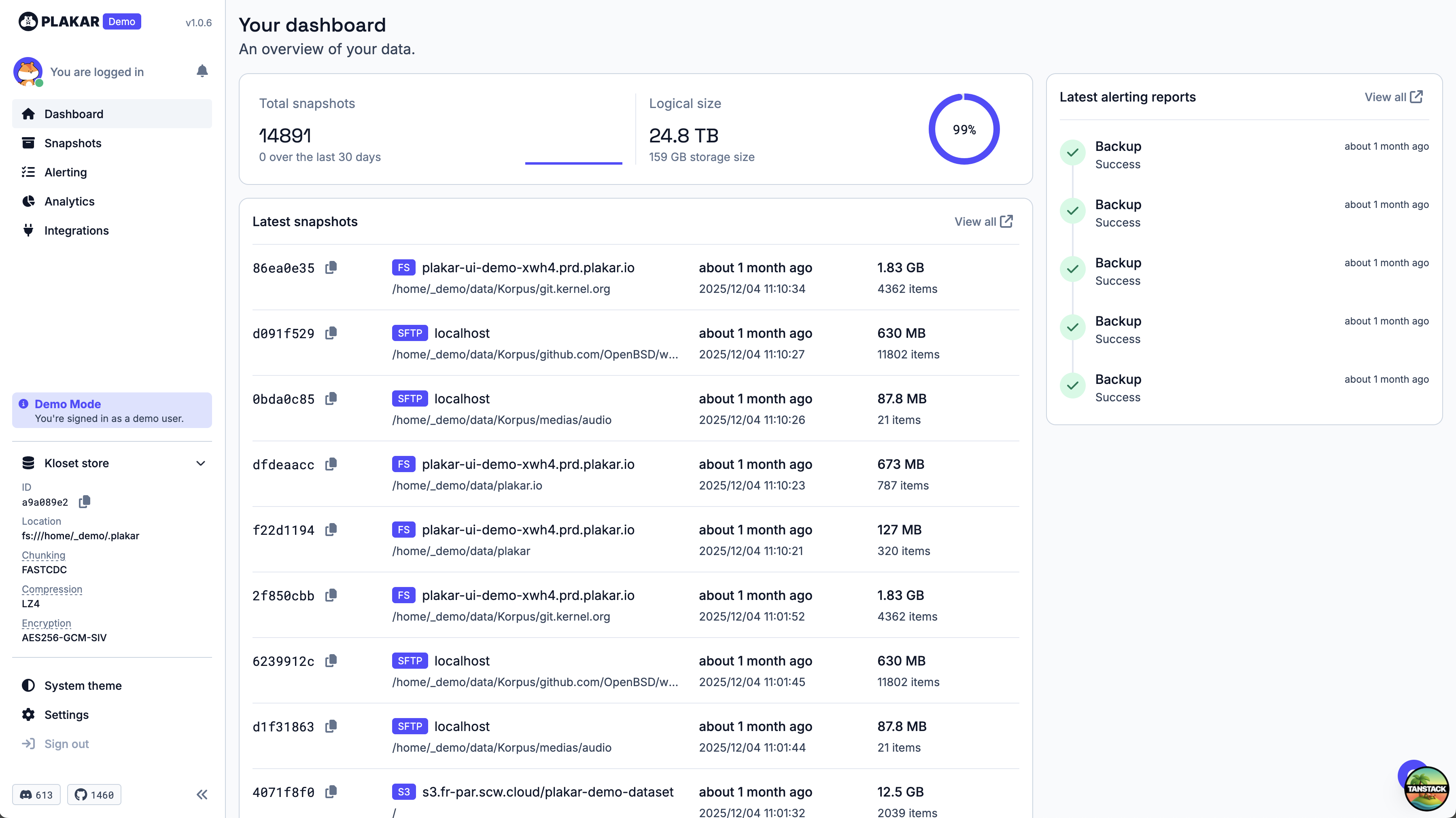
When browsing the files inside a snapshot, you can preview text files, images, videos, PDFs, and audio files directly in the UI.
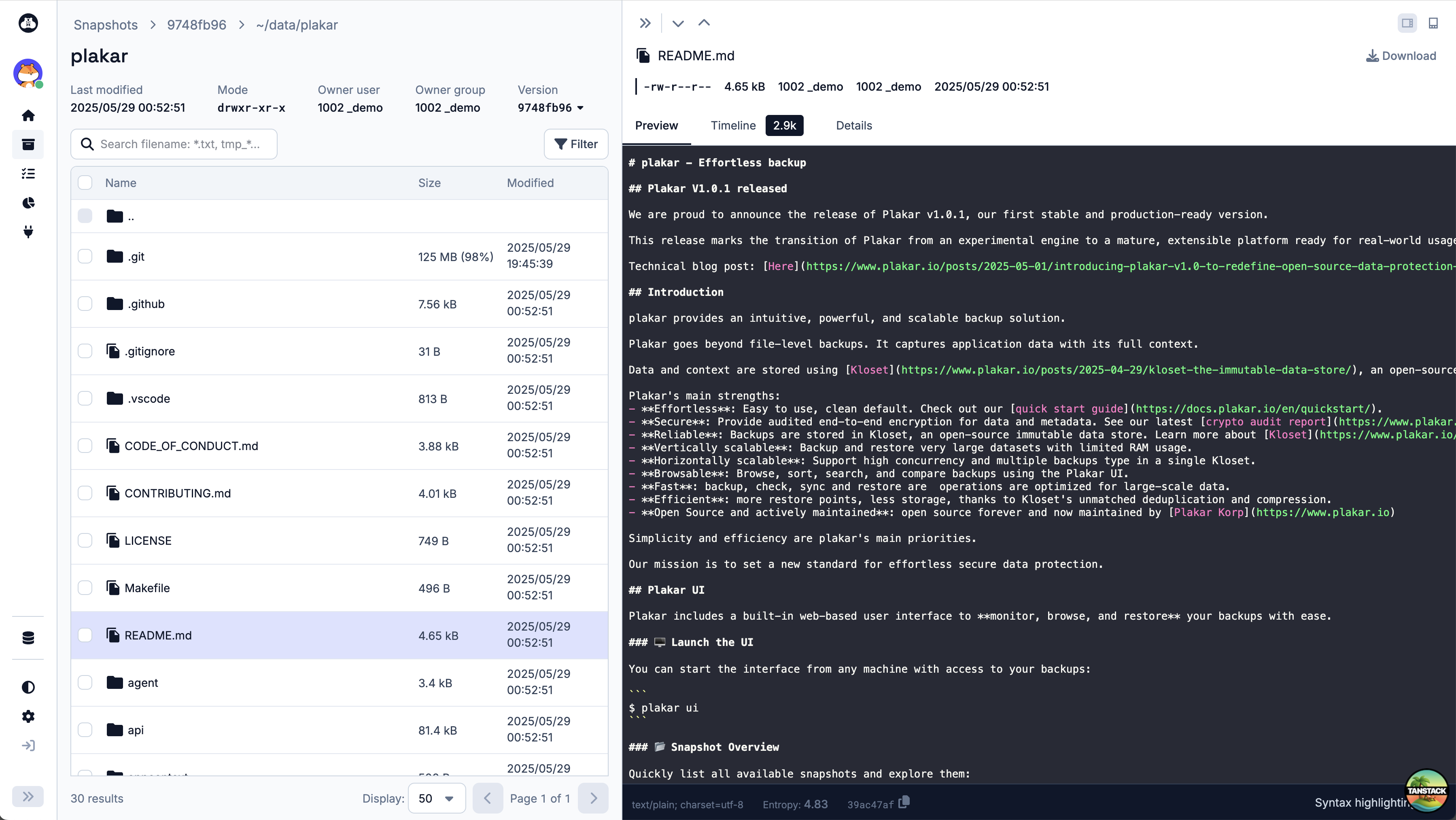
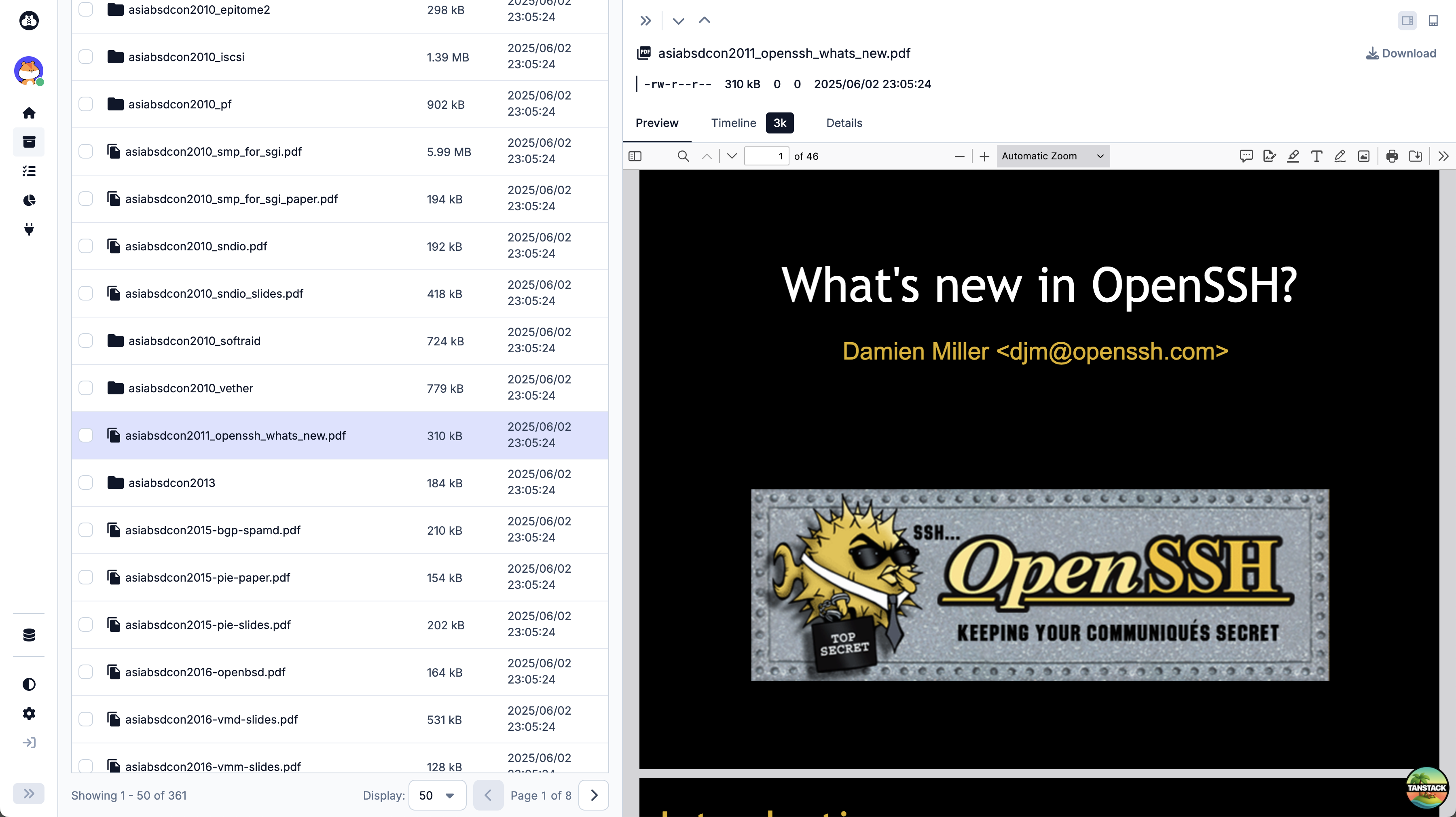
This is extremely handy when you want to quickly inspect the contents of a backup without restoring an entire snapshot to local disk, especially when you don’t know which snapshot contains the file you’re looking for.
In this blog post, we’ll walk through our first research and experiments aimed at adding a PostgreSQL viewer to the Plakar UI.
Why a PostgreSQL viewer?
Let’s say you accidentally deleted an image from your favorite photo album. With Plakar UI, you can quickly scan through your backups, preview the images inside each snapshot, and restore the snapshot that contains the missing photo.
Now, what if the lost data is stored inside a PostgreSQL database? The only way to check whether a snapshot contains the missing data is to restore the entire database backup and run SQL queries against it.
What if we provided a PostgreSQL viewer directly inside the Plakar UI? You could connect to a snapshot, run SQL queries, and preview the results without restoring the full database, in the same way you can preview text files or images today.
Performing the backup
We wrote a PostgreSQL backup guide that explains how to perform a physical backup of a PostgreSQL database using pg_basebackup and Plakar.
The command looks like this:
export PGUSER=xxx
export PGPORT=5432
export PGHOST=xxx
export PGPASSWORD=xxx

pg_basebackup -D - -F tar -X fetch | \
    plakar at /var/backups backup -no-progress tar:///dev/stdin
It assumes a PostgreSQL server running on PGHOST:PGPORT. It generates a .tar archive of /var/lib/postgresql/data and uses Plakar’s tar source importer (reading from stdin) to import the data into a Kloset store.
Running a Docker containerized PostgreSQL instance
The first approach to display a PostgreSQL viewer from the UI would be to restore the snapshot to a local directory and run a PostgreSQL Docker container using that directory as a data volume.
As explained in the PostgreSQL backup guide, you could first restore the snapshot:
plakar at /var/backups restore -to ./mydir <snapshot_id>
Then, start a PostgreSQL container using that directory as a data volume:
docker run --rm -ti \
   --name pg \
   -v ./mydir:/var/lib/postgresql/data \
   postgres
It works well, but it requires restoring the full snapshot to disk first. For large databases, this can be slow, storage-intensive, and even impossible: you may not have enough free disk space to restore the entire database.
What if there was a way to run PostgreSQL directly on top of the snapshot data stored in Kloset, without restoring the full snapshot first?
Plakar mount to the rescue
The command plakar mount allows mounting a Kloset store as a local read-only filesystem:
./plakar mount -to /mnt/mysnapshot <snapshot_id>
This command is magical: it allows browsing the files inside a snapshot as if they were stored on a local disk, but files are fetched on-demand from the Kloset store.

It seems like the perfect fit for our PostgreSQL viewer: we could mount the snapshot containing the PostgreSQL data files, and run PostgreSQL directly on top of that mount point. Since files are fetched on-demand, only the data that PostgreSQL actually reads would be downloaded from Kloset.
It is particularly important not to download the entire database, because PostgreSQL data directories can be huge, and you don’t want to transfer gigabytes of data just to run a few read-only queries.
Let’s try to run PostgreSQL on top of the mounted Kloset snapshot:
docker run --rm -ti \
    --name pg \
    -v /mnt/mysnapshot:/var/lib/postgresql/data:ro
    postgres
Ouch, it immediately fails:
chmod: changing permissions of '/var/lib/postgresql/data': Read-only file system
chown: changing ownership of '/var/lib/postgresql/data': Read-only file system
...
PostgreSQL tries to change permissions and ownership of its data directory. Since the directory is mounted read-only, the server cannot start.
Unfortunately, this is a fundamental problem: PostgreSQL needs write access to its data directory, and there is no fully read-only mode, even if you only want to run read-only queries.

Overlayfs
Overlayfs provides a way to create a writable filesystem (the upper layer) on top of a read-only filesystem (the lower layer).
It works only on Linux, but it could be a good fit for our use case. Let’s explore this option.
First, create the required directories and mount the overlay filesystem:
mkdir upper workdir merged
mount -t overlay overlay \
    -o lowerdir=/mnt/mysnapshot,upperdir=./upper,workdir=./workdir \
    ./merged
Here:
/mnt/mysnapshotis the read-only mount point created byplakar mount,./upperis a writable directory where changes will be stored,./mergedis a combined view of both layers.
Whenever a file is read from ./merged, if it exists in ./upper, it is read from there; otherwise, it is read from /mnt/mysnapshot.
overlayfs merged dir"] %% Read paths Merged -->| read unmodified file | Lower["Kloset snapshot
overlayfs lowerdir (read-only)"] Merged -->| read after write | Upper["overlayfs upperdir
writable"] %% Write path Merged -->| write file | CopyUp["Copy file from lowerdir"] CopyUp --> Apply["Apply modifications"] Apply --> Upper classDef ro fill:#f6f6f6,stroke:#999; classDef rw fill:#ffffff,stroke:#333; classDef merge fill:#eef3ff,stroke:#5b7cff; classDef action fill:#fff8dc,stroke:#999,stroke-dasharray: 3 3; class Lower ro; class Upper rw; class Merged merge; class CopyUp action; class Apply action;
For any write operation, the file is first copied from the lower layer to the upper layer (if it exists in the lower layer), and then the write is performed on the copy in the upper layer.
This looks promising: we could expose ./merged as the PostgreSQL data directory, allowing PostgreSQL to write to its files, while the original data is still read from the Kloset snapshot on-demand.
Fail… again
Let’s try running PostgreSQL on top of overlayfs:
docker run --rm -ti \
    --name pg \
    -v ./merged:/var/lib/postgresql/data \
    postgres
PostgreSQL starts successfully after some time, and you can run queries:
docker exec -ti pg psql -U postgres -c '\l'
It seems to work, but it doesn’t. As we explained before, any write operation causes the file to be copied from the lower layer to the upper layer. A single permission change or byte update causes the entire file to be duplicated.
This is another fundamental limitation of overlayfs for our use case. We can’t avoid writes: PostgreSQL modifies all its data files, and even small modifications cause entire files to be copied to the upper layer.
It is transparent to the user, but under the hood, if the PostgreSQL data directory contains, let’s say, 100 GB of data files, then running PostgreSQL on top of overlayfs will end up copying all those 100 GB into the upper directory.

Operating at the block level
The problem with overlayfs is that it operates at the file level: any write to a file causes the entire file to be copied to the upper layer.
What if we could operate at the block level instead? That is, only the modified blocks of a file would be copied to the upper layer, while unchanged blocks would still be read from the lower layer.
This would be perfect for our use case: PostgreSQL modifies many files, but usually only a small portion of each file. If we could copy only the modified blocks, the amount of data copied would be much smaller.
Qcow2
With qcow2, modified blocks are written to a new image, while unchanged blocks are read from a backing file.
Let’s create a base qcow2 image with enough space to hold the PostgreSQL data:
qemu-img create -f qcow2 base.qcow2 10G
Format it, and copy the PostgreSQL data to the image:
qemu-nbd --connect /dev/nbd0 ./base.qcow2
mkfs.ext4 /dev/nbd0
mkdir -p ./mnt && mount /dev/nbd0 ./mnt
plakar at /var/backups restore -to ./mnt <snapshot_id>
# Cleanup
umount ./mnt
qemu-nbd -d /dev/nbd0
Now, ./base.qcow2 is a qcow2 image that contains a filesystem with the PostgreSQL data.
Here, we had to build the base image by restoring the full snapshot. This is because we are still experimenting, but if we go down this path, we could expose Kloset data as a block device directly, avoiding the full restore step. It is a non-trivial problem, but solvable.
Now, let’s create an overlay image using the base image as backing storage:
qemu-img create -f qcow2 -b base.qcow2 -F qcow2 overlay.qcow2
qemu-nbd --connect /dev/nbd0 ./overlay.qcow2
mount /dev/nbd0 ./mnt
Now, ./mnt contains the PostgreSQL data directory, backed by base.qcow2. Any read operation fetches data from base.qcow2, and write operations copy only the modified blocks from base.qcow2 to overlay.qcow2, and not the entire files.
mounted filesystem"] %% Read paths Merged -->| read unmodified block | Base["base.qcow2
backing image (read-only)"] Merged -->| read modified block | Overlay["overlay.qcow2
copy-on-write blocks"] %% Write path Merged -->| write block | CopyBlock["Copy block from base image"] CopyBlock --> Apply["Apply block modifications"] Apply --> Overlay classDef ro fill:#f6f6f6,stroke:#999; classDef rw fill:#ffffff,stroke:#333; classDef merge fill:#eef3ff,stroke:#5b7cff; classDef action fill:#fff8dc,stroke:#999,stroke-dasharray: 3 3; class Base ro; class Overlay rw; class Merged merge; class CopyBlock action; class Apply action;
Let’s run PostgreSQL:
docker run --name pg --rm -ti -v ./mnt:/var/lib/postgresql/data postgres
PostgreSQL starts successfully, and queries work as expected.
This time, overlay.qcow2 grows only when blocks are modified, and the growth is significantly smaller than with overlayfs.

Conclusion
Providing a PostgreSQL viewer inside the Plakar UI is an interesting idea that can significantly improve the user experience when dealing with database backups.
We first attempted to restore a snapshot to disk and run PostgreSQL on top of it, but this approach is not feasible for large databases: it requires transferring the entire database backup before any query can run, which is slow and storage-intensive.
Then, we explored running PostgreSQL directly on top of snapshot data mounted with plakar mount. However, since PostgreSQL requires write access to its data directory, this approach failed.
Next, we experimented with overlayfs to provide a writable layer on top of the read-only Kloset mount. While this allowed PostgreSQL to start, the file-level copy-on-write behavior caused a full copy of the database, defeating the purpose of on-demand data fetching.
Finally, we found that using qcow2 images provided a better solution. By creating a qcow2 overlay image backed by a base image containing the PostgreSQL data, we were able to run PostgreSQL with block-level copy-on-write semantics. This approach significantly reduced the amount of data copied during write operations, making it a promising path toward implementing a native PostgreSQL viewer in Plakar. There is still a lot of complex work to be done to make this solution production-ready, but the initial experiments are encouraging.