
Why protecting SQL Server matters
SQL Server is usually the system everything else quietly depends on: applications, reports, and internal tools all assume the database behind them is available and intact. That dependency is exactly why losing it rarely stays contained to one problem.
Running SQL Server reliably isn’t the same as having a way to recover it:
- No independent recovery point by default: SQL Server is built to keep running, not to maintain a copy of itself somewhere safe if it doesn’t.
- Backups stored beside the database share its risk: a backup sitting on the same server or storage as the live database can be lost, corrupted, or encrypted right alongside it.
- Downtime for backups isn’t always acceptable: databases that are business-critical often can’t be taken offline just to protect them, which rules out the simplest backup approaches.
- Mistakes and bad updates happen without warning: a failed migration, a bad patch, or a misconfigured job can corrupt data before anyone notices.
For a system this central to daily operations, SQL Server needs a backup strategy that exists independently of the server it protects.
What happens when a SQL Server host is compromised
Access to a SQL Server host is controlled by administrative accounts on the underlying Windows Server. Because those accounts can affect both the database and the server hosting it, a compromise there tends to threaten everything at once.
If administrative access is lost or misused:
- The database and its backups can be lost together: without an independent copy, an attacker with server access can destroy both in a single action.
- Ransomware doesn’t distinguish between files: encryption or deletion triggered by malware affects database files exactly as easily as any other file on the server.
- Downstream systems fail immediately: applications, reports, and services that depend on the database stop working the moment it becomes unavailable or unreliable.
- Recovery without a backup means starting over: without a working restore point, rebuilding a database means recreating data that may not be recoverable at all.
Plakar mitigates this by capturing SQL Server backups over an encrypted connection and storing them in a Kloset outside the server itself, so a compromised host doesn’t put the backup history at risk along with it.
How Plakar protects your SQL Server environment
Plakar integrates with Microsoft SQL Server to move backups safely in both directions:
- Source Connector: capture a consistent, point-in-time backup of a live SQL Server installation without taking it offline. Plakar encrypts and deduplicates the backup before storing it in a Kloset Store, independent of the server it came from.
- Destination Connector: restore a verified backup back to the original server or a freshly prepared replacement, giving you a clear path back to a working database even if the original server is a total loss.
This makes it possible to:
- Back up a production SQL Server installation without disrupting the applications that depend on it
- Keep backup access separate from the day-to-day administrative accounts used to manage the server
- Recover a SQL Server installation to a known-good state, on the same hardware or entirely new hardware
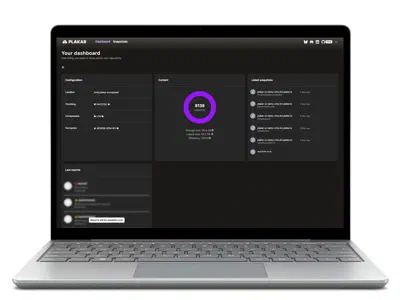
Plakar also lets you inspect a backup directly, so you can verify its contents through the CLI or UI before committing to a full restore.