Scaleway Secret Manager
#Scaleway Secret Manager can be added as a secret provider in Plakar Control
Plane by selecting scaleway as the integration type when creating a new secret
provider.
When adding the secret provider, you must provide a name for the secret
provider, the Scaleway region where your secret is stored, for example fr-par,
and a Scaleway secret key.
Scaleway access keys are generated as an access key and secret access key pair, but only the secret key is required when configuring the secret provider in Plakar Control Plane.
Required Permissions
#To allow Plakar Control Plane to read secrets from Scaleway Secret Manager, you must create an IAM policy with permissions to read and access secrets.
As an example, you can create a policy named scaleway-manage-secrets and add a
rule with the following permission sets:
SecretManagerReadOnlySecretManagerSecretAccess
Next, create an IAM application, for example scaleway-secrets-manager, attach
the policy to the application, then generate an API key for that application.
The generated secret key can then be used when configuring the secret provider
in Plakar Control Plane.
A more detailed guide on configuring Scaleway IAM permissions and generating API keys is available here.
Creating Secrets
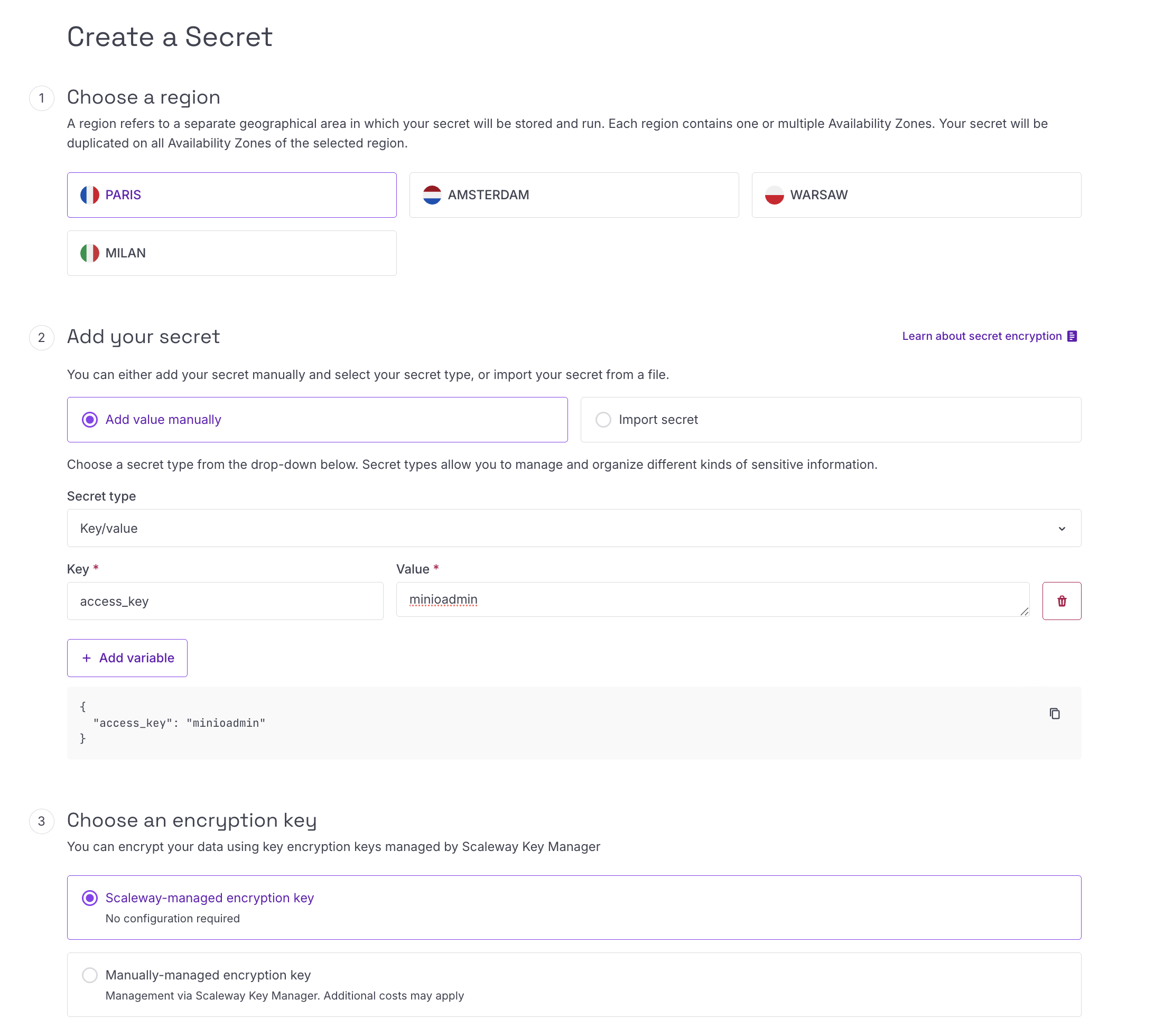
#When creating a secret in Scaleway Secret Manager, you must first select the region where the secret will be stored. The region selected here must match the region configured in the secret provider inside Plakar Control Plane.
For the secret type, select Key-value.
You’ll also need to select an encryption key. You can either use the default Scaleway managed encryption key or provide your own manually managed encryption key.
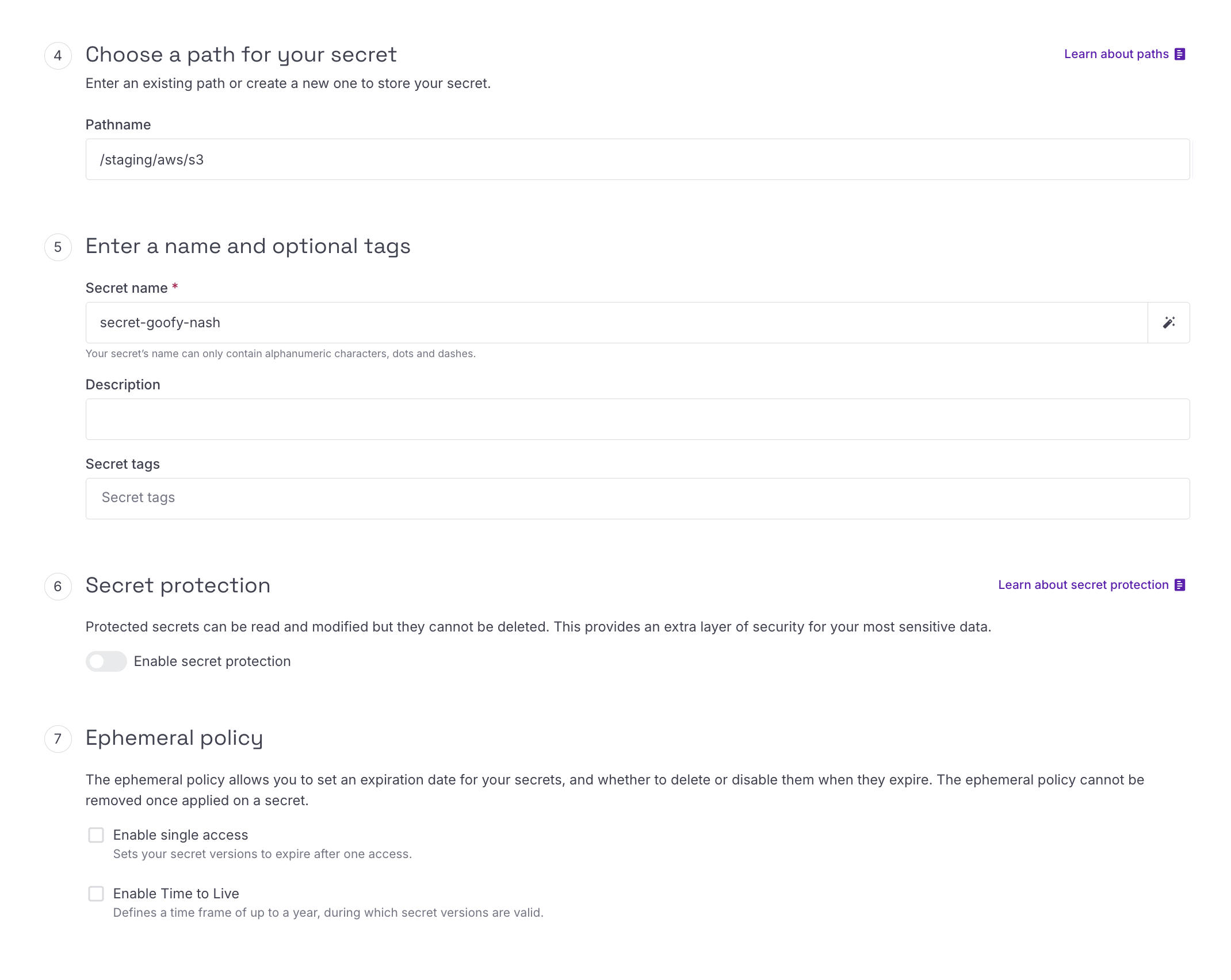
Next, choose a pathname for the secret. The pathname is used only for organizing secrets within Scaleway and can be anything that fits your environment structure. For example:
/staging/aws/s3Finally, provide a name for the secret and create the secret.
Secret Path Format
#The path format used by Plakar Control Plane for Scaleway Secret Manager is:
{secret_id}#{field}Unlike AWS Secrets Manager and HashiCorp Vault which reference secrets using secret paths, Scaleway Secret Manager uses the secret ID directly.
For example, if your secret was assigned the ID
c492b67c-f3a0-45b8-9ae5-87b640354fe5 and the secret contains a field named
access_key, the reference used in Plakar Control Plane would be:
c492b67c-f3a0-45b8-9ae5-87b640354fe5#access_key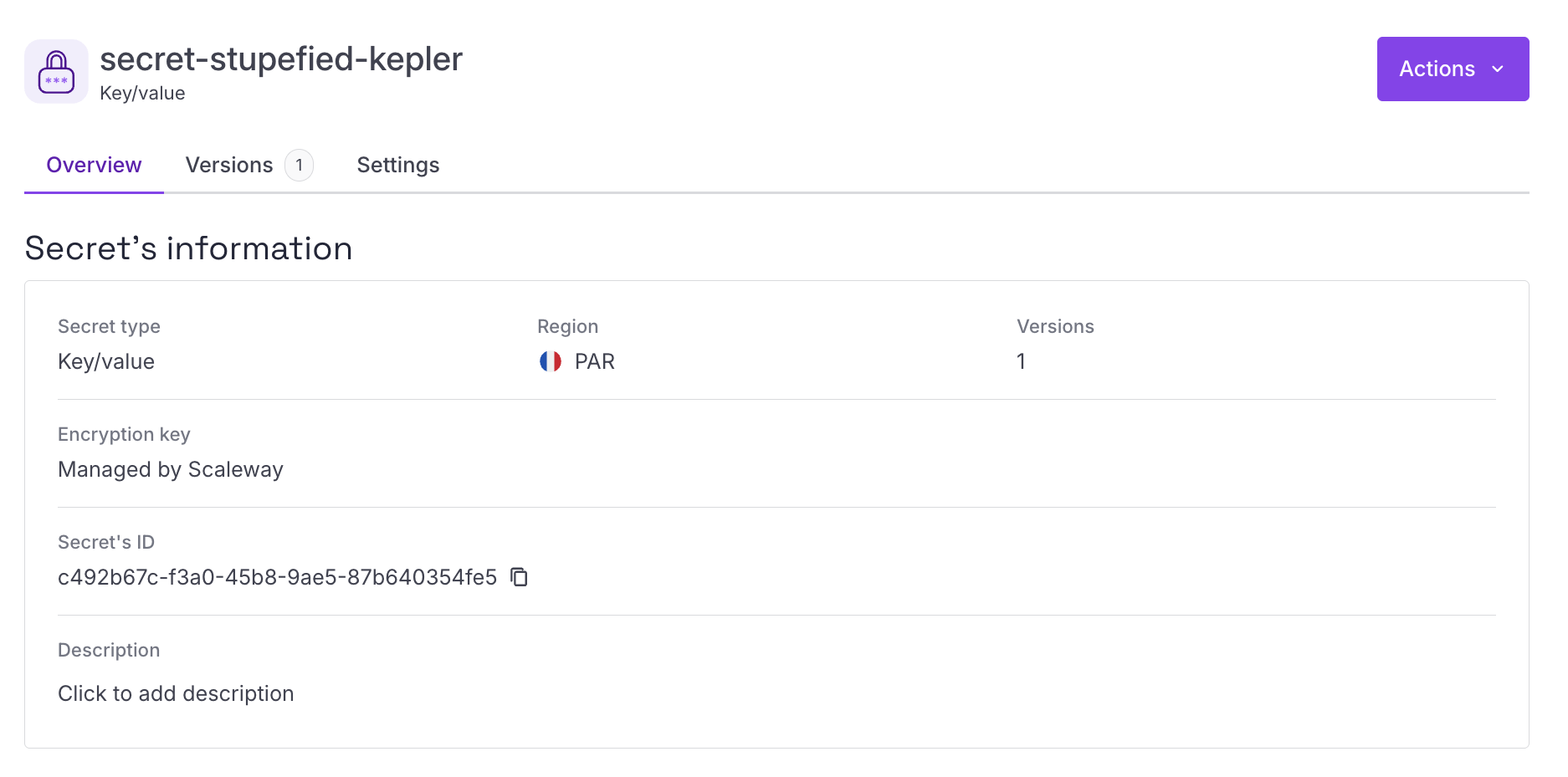
Using Secrets in Plakar Control Plane
#Once Scaleway Secrets Manager is configured as a secret provider, you can use it in any form field that requires a credential. Switch the field from direct value to secret provider, select your instance from the dropdown, and enter the path to the secret you want to use.
