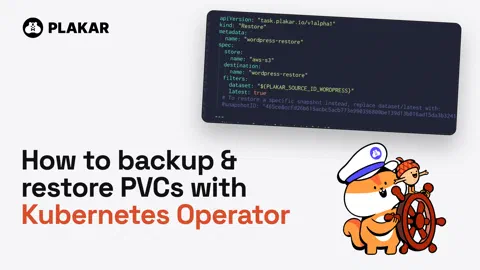




TL;DR:
A walkthrough of the Plakar Kubernetes Operator: a real app on EKS, backed up to S3 and restored, with every step applied through
kubectl.
As you may know by now, we built a Kubernetes integration for Plakar that backs up clusters at three levels: etcd (disaster recovery), manifests (granular restore and inspection), and persistent volumes (via CSI snapshots). This enables full cluster recovery, fine-grained restores, and data portability across environments. The one and only Omar, who built both the Kubernetes integration and the Operator, wrote up how it works in Backing up Kubernetes clusters with Plakar.
The
Kubernetes Operator
is the other half: how you orchestrate those backups and restores from inside
the cluster. It is a controller that reconciles custom resources against the
Plakar Control Plane: you declare a store, a source, a destination and a
schedule as YAML, apply them with kubectl, and the operator makes the API
calls. In case you missed it, we wrote a blog post on
Resilience as Code
which explains why: the reconcile loop that made GitOps reliable should drive
backup too.
This tutorial shows you what it all looks like in practice with a real app on EKS, two PVCs, one S3 bucket, and a restore.
The setup
If you want the full step-by-step walkthrough, every command is in the
README. The
only templating is envsubst, wrapped in a ./run script, so cluster name,
bucket name and Control Plane URL come from a .env file.
The cluster is a two-node EKS cluster. On top of it:
- EBS and EFS CSI drivers, the Gateway API and NGINX Gateway Fabric
- an echo service to prove the gateway works
- WordPress with MariaDB in an
appsnamespace, MariaDB on aReadWriteOnceEBS volume and WordPress uploads on aReadWriteManyEFS volume shared by two replicas
Before touching backups, the app gets a known state: an edited post, an uploaded image, and a restart of both deployments to confirm the data survives a pod restart. That matters later: the restore test only means something if you know what state you expect back.
Wiring the operator
The operator needs a Control Plane to talk to. On the cluster side, a
ServiceAccount with a bearer token and the minimum RBAC to back up and restore
PVCs lets the Control Plane reach the cluster. On the Control Plane side, an
application user with the Operator role and an API key lets the operator reach
the Control Plane. The key goes in a Kubernetes secret, and the Plakar
resource points at both:
apiVersion: "task.plakar.io/v1alpha1"
kind: "Plakar"
metadata:
  name: "pcp"
spec:
  plakarControlPlaneUrl: "${PLAKAR_KUBERNETES_OPERATOR_PCP_URL}"
  apiKey:
    secretName: "plakar-credentials"
    key: "apikey"
Apply it, and an inventory shows up in the Control Plane. From there the resources map one to one to what you would otherwise click through in the UI:
Store: the S3 bucket where snapshots landSource: the two PVCs to back up,wordpress-pvcandmariadb-pvc, through thek8sintegration with thek8s+pvcprotocolDestination: where a restore writes to. It holds no data, it is a registered target. In the demo it points at the same two PVCsBackup: a one-off backup of a source into a storeScheduleBackup: the same, recurring.Restore: a one-off restore from a store into a destination
The source and destination use the Kubernetes integration underneath: the operator declares the job, the integration does the reading and writing.
Every one of them reports the ID the Control Plane assigned in status.id, plus
Available, Progressing and Degraded conditions, so kubectl get and
kubectl describe work the way they do on any other object.
Backup, then break something
A one-off backup is a Backup resource, one per PVC: apply it, then
kubectl describe backup or watch the job in the Control Plane. Then the app
changes: a second post and a second upload. The scheduled backups come
afterwards, so the snapshot to restore from is the one with a single post. Known
state before, known state after.
Restore, with a check first
Backing up matters, but being able to browse and inspect a backup before you restore it is where the real value is. Before restoring, open the snapshot in the Control Plane and browse it: the uploaded image is there, the database files are there.
Then the app is prepared. The destination is the same PVC as the source, so both
deployments are scaled to zero first: nothing writes to the volume mid-restore,
and nothing a user does in WordPress gets lost between the restore and the
restart. The Restore resources are applied, one per PVC:
apiVersion: "task.plakar.io/v1alpha1"
kind: "Restore"
metadata:
  name: "wordpress-restore"
spec:
  store:
    name: "aws-s3"
  destination:
    name: "wordpress-restore"
  filters:
    dataset: "${PLAKAR_SOURCE_ID_WORDPRESS}"
    latest: true
The dataset filter matters. latest: true alone would pick the last snapshot
in the store, whichever PVC it came from. Scoped to the source ID, it picks the
latest snapshot of that PVC. Swap the filter for a snapshotID to restore a
specific one. The Control Plane runs both restores as jobs: the MariaDB volume
comes back in seconds, the WordPress uploads take a few minutes.
Where to go from here
We hope you found this demo useful. If you want to follow the tutorial, start with the installation of the Operator and a Control Plane free tier (up to 500 GB). The demo repo has every step, from creating the EKS cluster to restoring.