General Settings
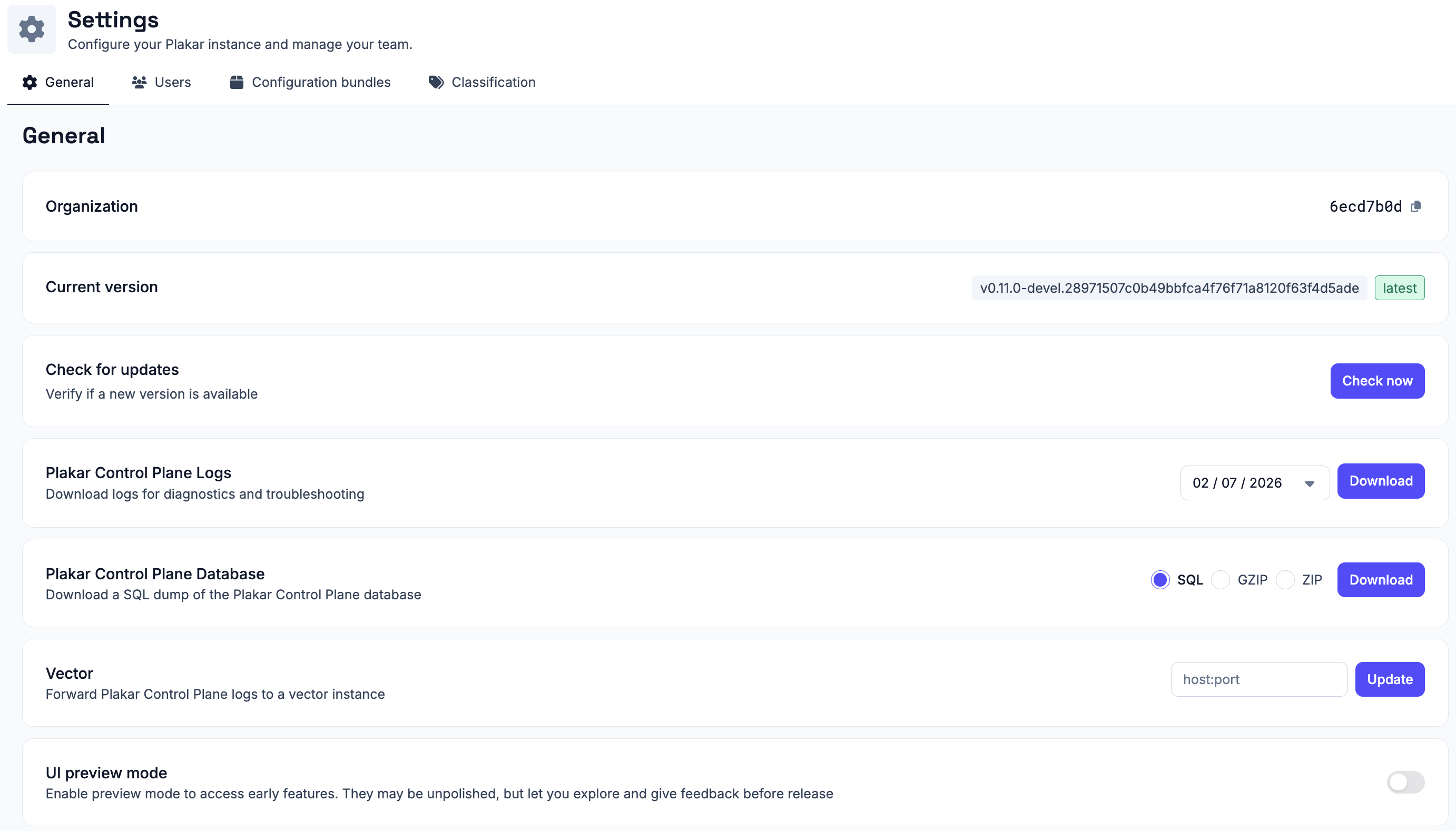
#The general settings page lets you check your instance’s identity and version, control security and access, connect email and log forwarding, manage edge enrollment and notifications, export diagnostics, and manage early-access features.
Organization
#Shows your organization’s unique identifier.
Current version
#Shows the version of Plakar Control Plane currently running.
Check for updates
#Click Check now to verify whether a newer version of Plakar Control Plane is available. See Updating Control Plane for how to install updates and, where needed, update the underlying deployment infrastructure.
Authentication badge TTL
#The authentication badge indicates the current authentication status of your Plakar Control Plane session. Configure how long the badge remains valid after authentication, then click Update to apply the new time-to-live (TTL).
SMTP
#Configure the SMTP server used by Plakar Control Plane to send outgoing emails, including notifications and other system-generated messages. See Email & SMTP documentation for configuration details.
Vector
#Forward Plakar Control Plane logs to a Vector instance you manage. Plakar Control Plane runs its own internal Vector instance for local log processing; this setting adds the instance you provide as an additional Vector sink, so a copy of the logs is forwarded there rather than replacing local processing.
Enter the target instance’s address as host:port and click Update to
apply.
Edge enrollment
#Enable edge enrollment to allow new edge executors to register with your Plakar Control Plane instance. Once enabled, you can generate or regenerate the enrollment key used during the initial registration process. See Edges documentation for more information.
Network interfaces
#Click Manage to view and configure the appliance’s network interfaces. The network interface table shows each interface’s name, IP address, link status, MAC address, and current MTU.
To change an interface’s MTU, click the pencil icon next to the current value, enter the new MTU, and save your changes.
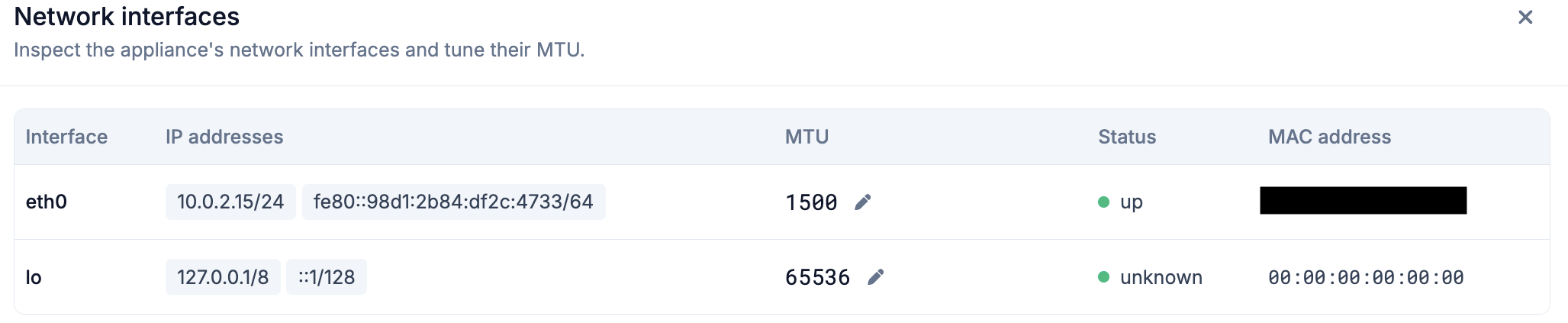
The default MTU is 1500 bytes, which is appropriate for most Ethernet networks. Increase the MTU only if every device along the network path supports the larger frame size. Using an MTU larger than the network can handle may result in packet fragmentation, dropped packets, or connectivity issues rather than improved performance.
For more information about MTU values and jumbo frames, see MTU and Jumbo Frames documentation.
Webhook
#Deliver Plakar Control Plane events, such as job completions and failures, to an external endpoint as HTTP requests. See Webook documentation for more information.
Plakar Control Plane logs
#Download Plakar Control Plane’s own logs for diagnostics and troubleshooting.
Pick a date and click Download to get a .log.gz file containing that day’s
logs.
Plakar Control Plane database
#Download a full dump of the Plakar Control Plane internal database, as SQL,
GZIP, or ZIP. Select the format and click Download.
Debug logging
#Enable DEBUG logging to temporarily increase the level of detail recorded in
Plakar Control Plane logs while troubleshooting an issue. Select how long debug
logging should remain enabled, then click Enable. Once the selected duration
expires, Plakar Control Plane automatically restores the previous log level.
UI preview mode
#Enable preview mode to access early features. They may be unpolished, but let you explore them and give feedback before release.