Member Users
Member users authenticate through the Plakar Control Plane web interface. When a user belongs to more than one organization, the organization they work in is determined by the account they sign in with. See Signing In documentation for more details.
Creating a member user
To create a member user, select Member as the user type, then provide the user’s name and email address. You then select the organization the user is added to.
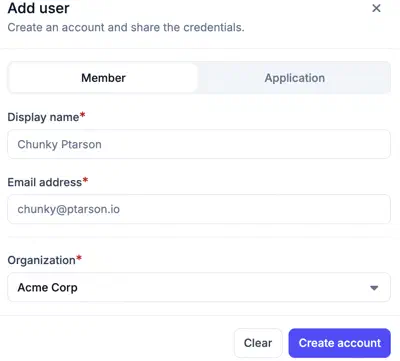
If the email address does not belong to an existing user, Plakar Control Plane creates the user and generates a password for them. Once the user has been created, their account and generated password are displayed. Pass both to the user, because they need the account to sign in to this organization. See Signing In for how accounts are formed.
The generated password is used only for the first sign-in. After authenticating for the first time, the user will be required to set a new password before accessing Plakar Control Plane. If the email address belongs to a user who already exists, that user is added to the organization and keeps their current password.
A newly created member user has no permissions in the organization. They can sign in, but they cannot access any resources or perform any operations until permissions are granted to them.